

Support Portal
Documentation
Master the deployment and configuration of the WP SolarFlow engine.
Core Installation
WP SolarFlow is built for high-performance ROI calculations. It establishes a robust database environment to ensure utility rate accuracy across your entire site.
-
- Upload the .zip file via the WordPress plugin manager.
- Click Activate to initialize your leads dashboard tables.
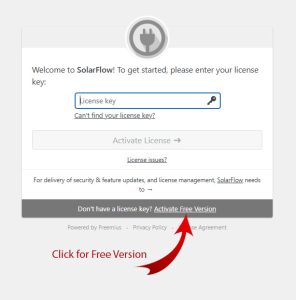
- Enter your License Key in the settings to start your 7-day Pro trial.
- While the free version offers essential tools, some advanced features are available exclusively in the Pro version.
Shortcode Guide
Paste this shortcode into any page, post, or widget area to display the interactive solar ROI wizard.
Lead Intelligence
We don’t just capture emails; we capture intent. Every entry in the leads dashboard includes a complete energy profile, property address data, and localized utility spending habits.
Pro Capabilities
Unlock national utility data for all 50 U.S. states. Pro ensures your ROI calculations are accurate to the penny, regardless of the homeowner’s location.
White-Labeling: You can fully customize the plugin with your own logo and brand colors in the Appearance tab.